
The 5 tasks every tutoring center should automate first (and the 2 you shouldn’t touch yet)
Key takeaways (for the skimmers)
Manual scheduling and billing quietly cost the average tutoring center 10+ hours a week — that’s a full extra work week every month, gone to spreadsheets.
The first five things to automate, in order, are: scheduling → attendance-to-billing → reminders/no-shows → lead capture → payroll. Do them in that order, not all at once.
Centers that automate these basics report roughly 60% less admin time and 3x faster enrollment for new students.
Automated reminders alone can cut no-shows by 30–50%, which is real money, not a vanity metric.
Automation is not a personality transplant for your business. Over-automate the parts where parents want a human, and you’ll trade admin hours for trust — 53% of customers already say they trust companies less when service leans too hard on automation.
The goal isn’t a robot-run tutoring center. It’s getting your best hours back for teaching, not typing.
Let’s start with an uncomfortable truth: if you own a tutoring center, you didn’t get into this business to become a part-time data entry clerk. And yet, most owners spend more hours a week reconciling attendance sheets than they do actually improving how kids learn.
We’ve spent the last few years sitting on both sides of this problem — one of us running and consulting for tutoring and learning businesses, the other building the AI and automation systems that quietly do the boring parts. Together, we keep seeing the same pattern: centers that automate the right five things first grow faster and burn out slower. Centers that automate the wrong things first just end up with expensive software doing the same manual mess, only now with a login screen.
So here’s the playbook, in order.
1. Scheduling and booking
This is the front door of your business, and it’s usually the most chaotic room in the house. A tutor calls in sick. A parent wants to move Tuesday’s session to Thursday. Two families get booked into the same room at the same time because someone forgot to check the shared calendar (there’s always a shared calendar, and it is always slightly wrong).
Centers running 8–10 tutors and around 180 sessions a week routinely lose 8 to 15 hours a week to the “hidden cost” of manual scheduling — back-and-forth email, no-show follow-up, and fixing double-bookings. That’s not a rounding error. One estimate from McKinsey’s education operations research puts the price tag of manual scheduling at $8,000 to $14,000 a year in administrative labor for a typical center. That’s a part-time salary spent on a task a calendar tool does automatically.
Automate first: self-booking links, automatic conflict detection (”no double-bookings” is worth its weight in gold), and a system where tutor availability updates in one place instead of five group chats.
2. Attendance to billing (the step most owners skip)
Here’s the workflow we see in almost every new client: attendance gets tracked one place, invoices get built somewhere else, and a human is the “API” connecting the two. Someone checks a sign-in sheet, cross-references a spreadsheet of who’s on what package, then manually builds invoices in Word or QuickBooks, one family at a time.
A center with 10 teachers and 200 students often loses over 10 hours of admin time every week to scheduling and manual billing — over 40 hours a month, an entire work week. When you connect the two — a session marked “attended” instantly triggers the correct invoice, at the correct rate, for that specific student’s package — the math changes fast. Centers that switch to an integrated system report a 60% reduction in administrative time and 3x faster student onboarding.
Quick vocabulary check: when we say “integration,” we just mean two tools that talk to each other automatically, instead of a person copying information from one screen to another by hand.
Automate first: attendance-triggered invoicing. This single connection tends to save more time than almost anything else on this list, because it kills two manual jobs (attendance logging and billing) with one automation.
3. Reminders and no-show follow-up
A no-show isn’t just an awkward empty chair. It’s unpaid tutor time, a wasted room booking, and — depending on your policy — lost revenue you may never recover. Even a 15% no-show rate can be enough to quietly wreck your tutor utilization numbers, which is the metric that actually determines whether your center is profitable or just busy.
The fix is almost embarrassingly simple: automated confirmation texts and reminder sequences before every session. Automated scheduling paired with reminders can reduce no-shows by up to 30%, and some estimates from scheduling vendors put the reduction as high as 30 to 50% through confirmation and reminder sequences that directly increase revenue without adding a single new session.
Automate first: SMS/email reminders 24 hours and 2 hours before a session, plus an automatic follow-up message the moment a no-show is logged — not a manual phone call three days later when everyone’s already forgotten.
4. Lead capture and CRM (the polite name for “not losing inquiries”)
A parent fills out a contact form at 9pm because their kid is struggling with algebra and they’re panicking a little. If nobody responds until Tuesday, that family has probably already messaged two other tutoring centers. CRM, if the term is new to you, just stands for “customer relationship manager” — think of it as a digital rolodex that automatically remembers every lead, when you last contacted them, and what they need, so nothing falls through the cracks.
Automating this doesn’t mean replacing your enrollment conversation with a chatbot. It means the inquiry gets logged instantly, an acknowledgment goes out within minutes, and your team gets a task to follow up — instead of a sticky note on someone’s monitor.
Automate first: instant lead capture from your website/forms into one system, automatic first-response messages, and a follow-up task queue so no inquiry sits untouched for days.
5. Payroll from sessions
Once scheduling and attendance are automated, payroll should be the easy part — but it’s often still manual, and manual payroll is where trust with your tutors quietly erodes. If a tutor is scheduled for four hours but only teaches three because of a cancellation, someone has to decide (accurately, every single week) how that gets paid. Do it by hand across ten tutors and a few dozen sessions, and errors will creep in.
Automate first: let approved, completed sessions feed directly into payroll calculations, so pay is based on what actually happened, not on what the spreadsheet says happened.
Two things not to automate yet
Here’s where we put on our consultant hats and gently take the “automate everything” hammer out of your hands.
Difficult parent conversations. A billing dispute, a concern about a child’s progress, a request to switch tutors mid-term — these need a human voice, not an auto-reply. This isn’t sentimentality; it’s data. More than half of surveyed customers — 53% — said they trust companies less when service relies heavily on automation, and nearly one in three said talking to AI is now their single most frustrating service experience. Nobody wants to hear “I understand your frustration” from a bot when their kid is falling behind in math.
Anything involving AI chatting directly with children. This one isn’t optional caution, it’s regulatory reality. Regulators have made clear that if your AI can form ongoing relationships with users — especially minors — you need real safeguards, and the FTC has already opened inquiries into AI chatbots acting as companions. Automate the admin around the child. Don’t automate the conversation with the child.
Part 2: what could go wrong (and why we’re only half-joking about it)
Here’s the part every “automate everything” listicle conveniently skips: automation has a shadow side, and it usually shows up about three months after the excitement wears off.
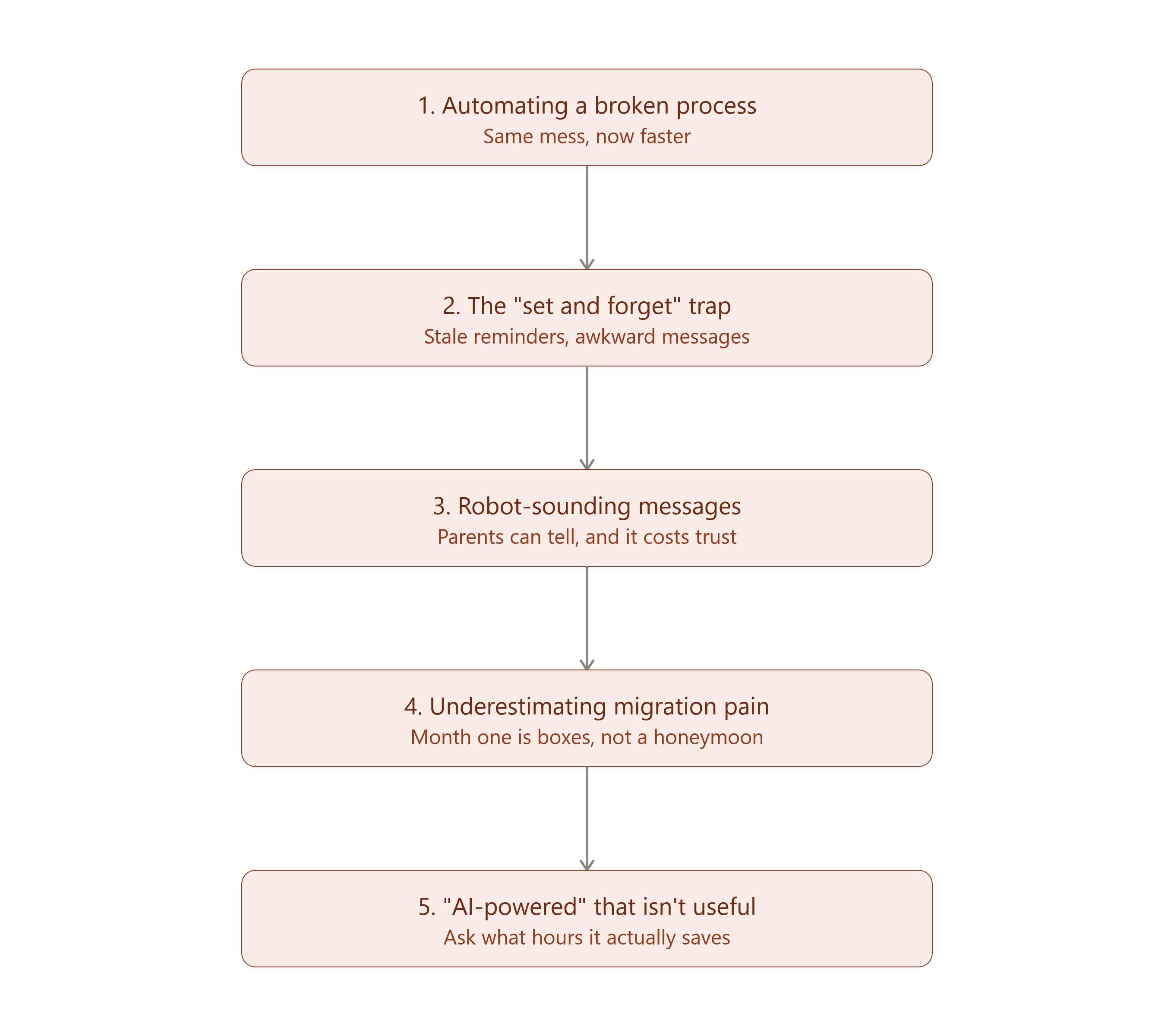
Problem one: automation doesn’t fix a broken process, it just breaks it faster. If your pricing is inconsistent across tutors, or your no-show policy exists only in your head, automating a messy process just means the mess now happens at machine speed. Fix the policy before you fix the tool. A perfectly automated bad idea is still a bad idea — just a faster one.
Problem two: the “set it and forget it” trap. Automation is not a crockpot. Reminder sequences, CRM follow-ups, and payroll rules need occasional human review, or you’ll wake up one day to find your system has been sending “your session is tomorrow!” texts to a family that cancelled their enrollment in March. Awkward. Also, technically your fault.
Problem three: parents can smell a robot from a mile away. There’s a real difference between “this text felt personal” and “this text felt like it was generated by a system that has never met my child.” Keep the friendly, slightly imperfect human voice in your messaging templates. Warmth doesn’t automate well — but it does template well, if you write it once, carefully.
Problem four: switching costs are real, even if the marketing says “quick setup.” Migrating years of student records, tutor histories, and billing data into a new platform takes real hours up front. Budget a slower first month. The long-term time savings are real, but the first 30 days are not the honeymoon phase — they’re the moving-house phase, boxes everywhere.
Problem five: not every “AI-powered” feature is actually solving your problem. In 2026, everything has an AI label glued to it, whether or not it does anything useful. Before buying, ask a boring but essential question: what specific hours does this save me, and how do I know? If the salesperson can’t answer that in one sentence, that’s your answer.
The businesses that win with automation in the next few years won’t be the ones with the most AI features. They’ll be the ones who automated the boring 80% so their people could spend more time on the human 20% that actually keeps families enrolled.
A visual to save for later
Above, you’ll find a simple roadmap graphic ranking the five automation priorities in order — screenshot it, print it, or stick it on the office wall next to the emergency snack drawer. The order matters more than the speed: automating step 3 before step 1 is like installing a doorbell before you’ve built the door.
Final recommendations
Start with scheduling and attendance-to-billing. These two alone typically return the most hours for the least disruption.
Add reminders next. It’s the cheapest, fastest win on this entire list — a no-show text sequence can usually be set up in an afternoon.
Keep humans on anything emotional, financial-sensitive, or child-facing. Automate the paperwork around the relationship, never the relationship itself.
Review your automations quarterly. Set a calendar reminder (ironic, we know) to check that your automated messages still make sense.
Measure before and after. Track your weekly admin hours and no-show rate for two weeks before you automate anything. Otherwise you’re just guessing whether it worked.
Now it’s your turn. Which of these five is eating the most of your week right now — scheduling, billing, no-shows, leads, or payroll? And has anyone else had an automation backfire on them (we want the awkward stories, not just the wins)? Drop it in the comments — we read every one, and the best stories might make it into a future post.
If this was useful, consider sharing it with another tutoring center owner who’s still color-coding a paper calendar. They’ll thank you. Eventually.